
Input:
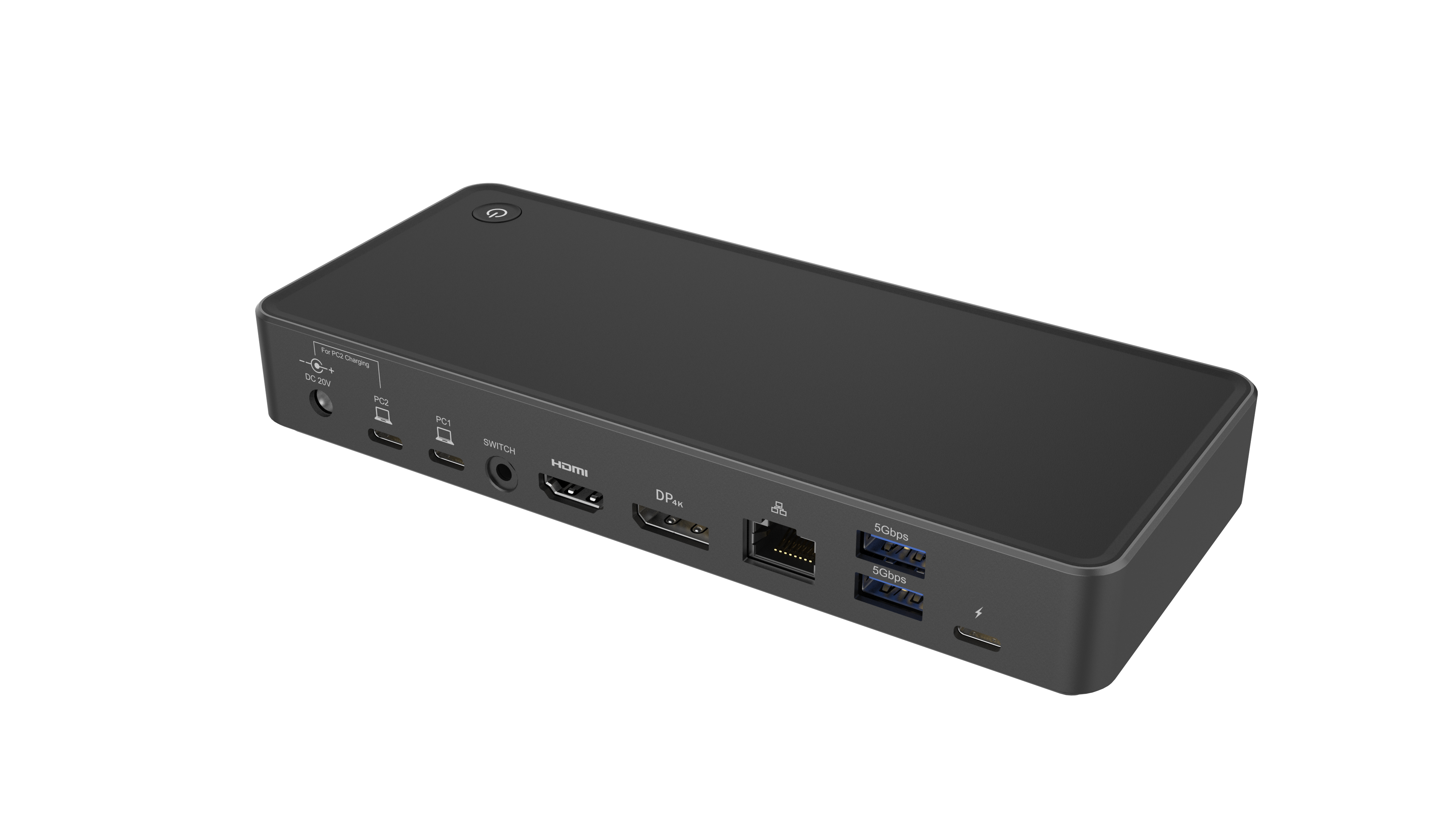
Host 1 connect to PC1
Host 2 connect to PC2
Output:
1* HDMI: 4K/60Hz
1* DP: 4K/60Hz
Dual display: HDMI+DP: 4K/60Hz+ 4K/60Hz
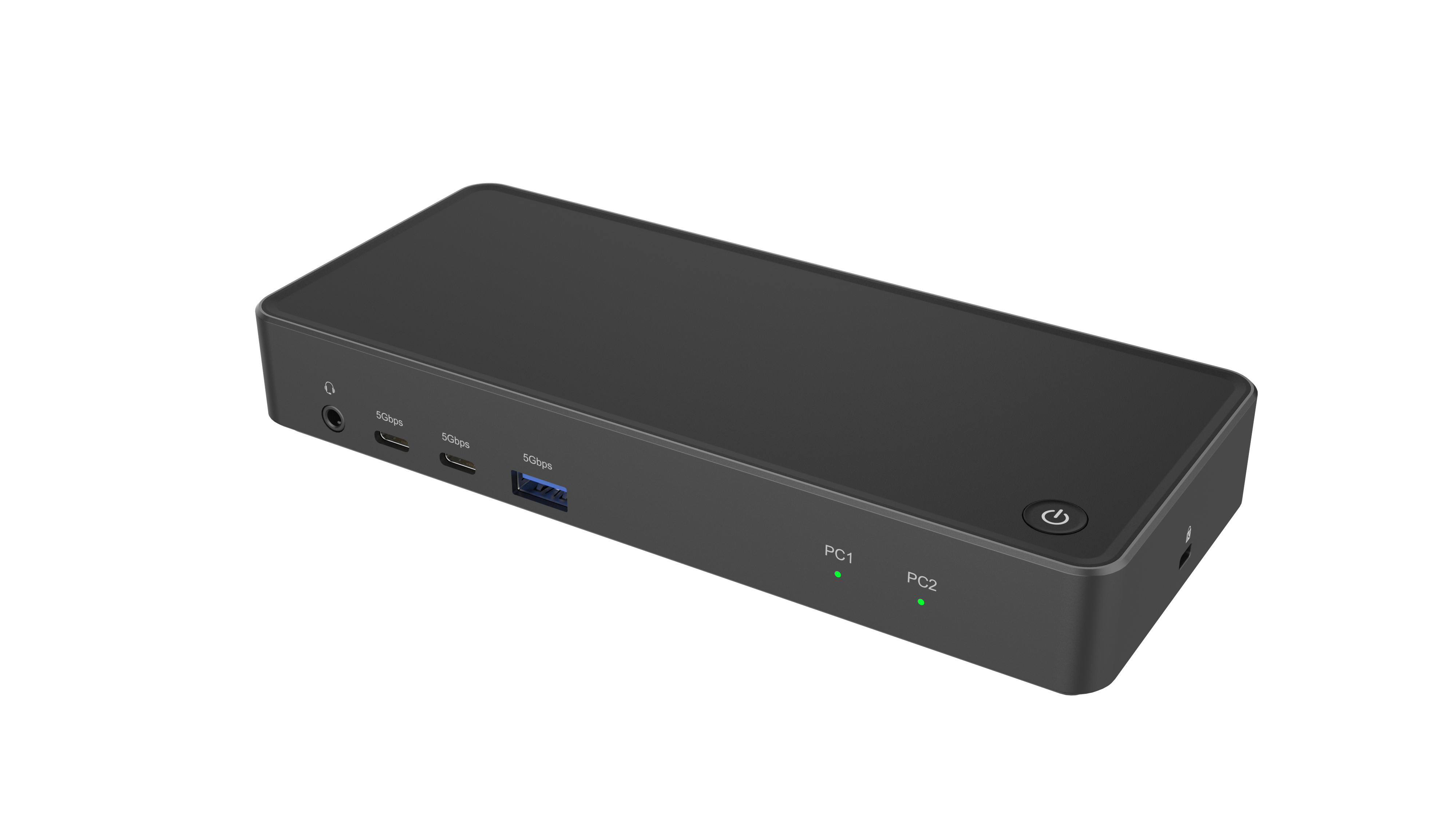
3*USB-A: 5Gbps
2*USB-C: 5Gbps
1*USB-C: PD3.0 100W input(Power to PC1)
1*RJ45: 1000Mbps
1*Audio:3.5mm combo
1*DC Power: 120W (20V/6A), 65W to charge the PC2.
Switch: This interface can be connected to the external manual SWITCH. Like the POWER SWITCH function, it is used to SWITCH the PC on and off and between PC1 and PC2.
1. Control two computers with only one mouse, keyboard, and monitor.
2. Switch between two PCs quickly with the push of a button. Switch and share through the screen, so that your personal life computer and office computer are clearly separated.
3. No additional power adapter is needed for host 1 charging. Host 2 supports PD direct charging.
4. USB Type-C in DP Alt Mode, HDMI or DP single output resolution up to 4K@60Hz
5. Fully compatible with TBT3.
6. Support MST function on Windows systems, Support SST function on Mac OS system.
6. Kensington lock protects your privacy.
7. Plug and play, no driver needed.
Input: 2x USB-C
Output: HDMI, DP, 2x USB-C, 3x USB-A, RJ45, AUDIO, PD, DC (120W)
Certificate: ROHS.REACH
Material: ABS+PC
Dimension: 185 x 79 x 28mm
1 x MST KVM Dual (HDMI+DP) Display Docking Station
1 x User Manual


